Ferndesk Review - The AI Help Center That Updates Itself
We've tested Ferndesk, the AI-native help center platform that automatically keeps your documentation up to date

Welcome to this Ferndesk review 😊!
If you've ever managed a help center, you know the pain: you write detailed documentation, your product evolves, and suddenly half your articles are outdated. Screenshots show old interfaces, features have been renamed, and your support inbox fills with questions that should have been answered by your help center. It's a never-ending battle that most teams simply lose.
That's the problem Ferndesk tackles head-on with a bold promise: an AI-native help center that automatically stays up to date. Built by Wilson Wilson (yes, that's his real name!), a bootstrapped founder who previously co-founded Senja, Ferndesk introduces "Fern" - an AI agent that reads your codebase, analyzes support tickets, and keeps your documentation in sync with your product.
What makes Ferndesk particularly interesting isn't just the AI writing capabilities - it's the entire ecosystem designed around documentation maintenance. From automatic screenshot generation to content gap detection and one-click migration from platforms like Intercom, Zendesk, and Help Scout, it's built for teams who are tired of letting their docs fall behind.
In this review, we'll use Uneed as our example to put Ferndesk through its paces, and see if it truly delivers on its promise of being "the only help center that never goes out of date". Let's dive in! 🚀
Getting Started & Migration
The onboarding experience immediately shows that Ferndesk understands its target audience: teams migrating from existing help center solutions. Instead of starting from scratch, you're asked where your current help center is hosted.
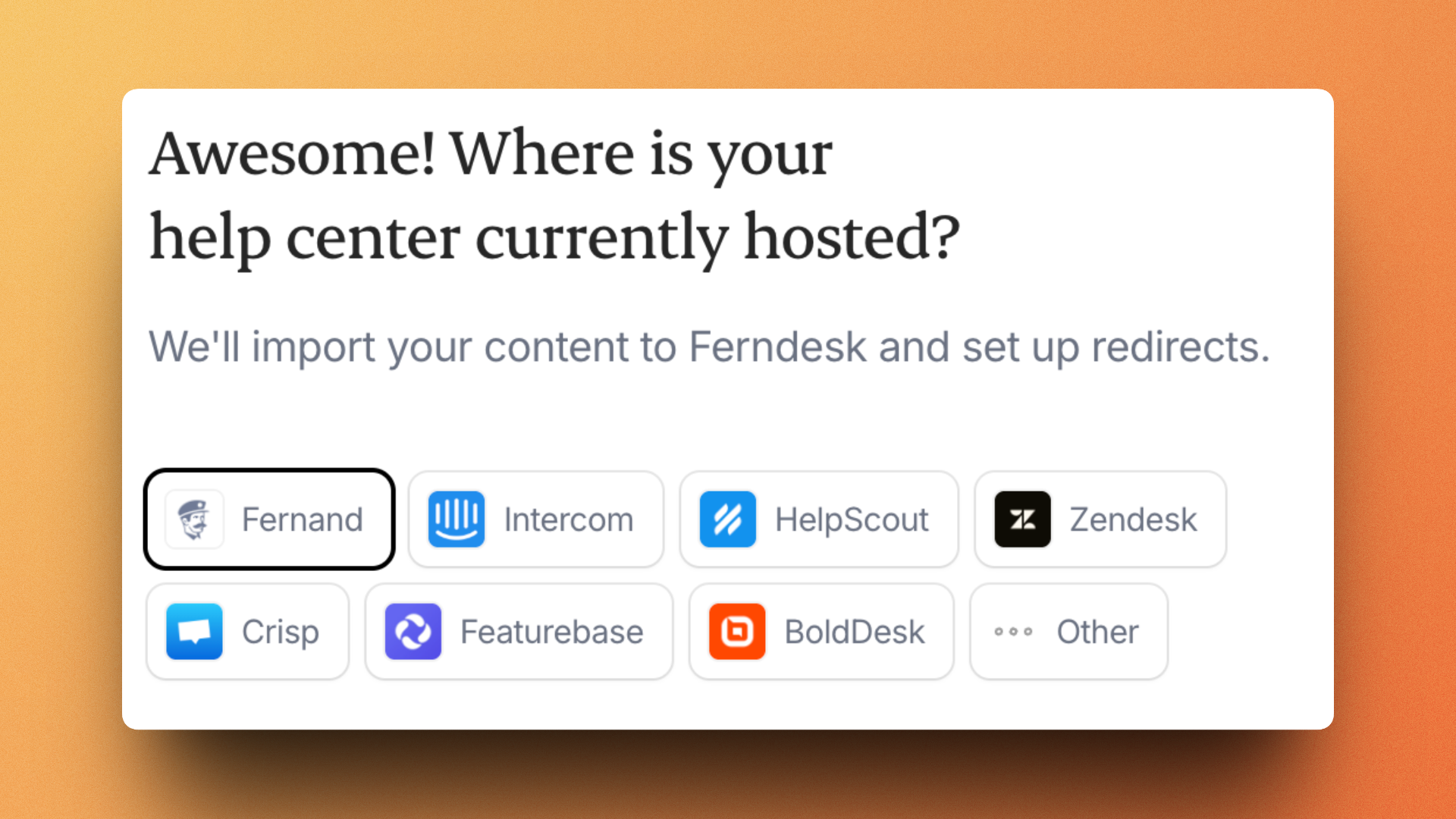
The platform supports direct imports from Fernand, Intercom, HelpScout, Zendesk, Crisp, Featurebase, BoldDesk, and more. Since we already use Fernand as our support tool at Uneed, we took advantage of the native integration to test the migration process 👀.
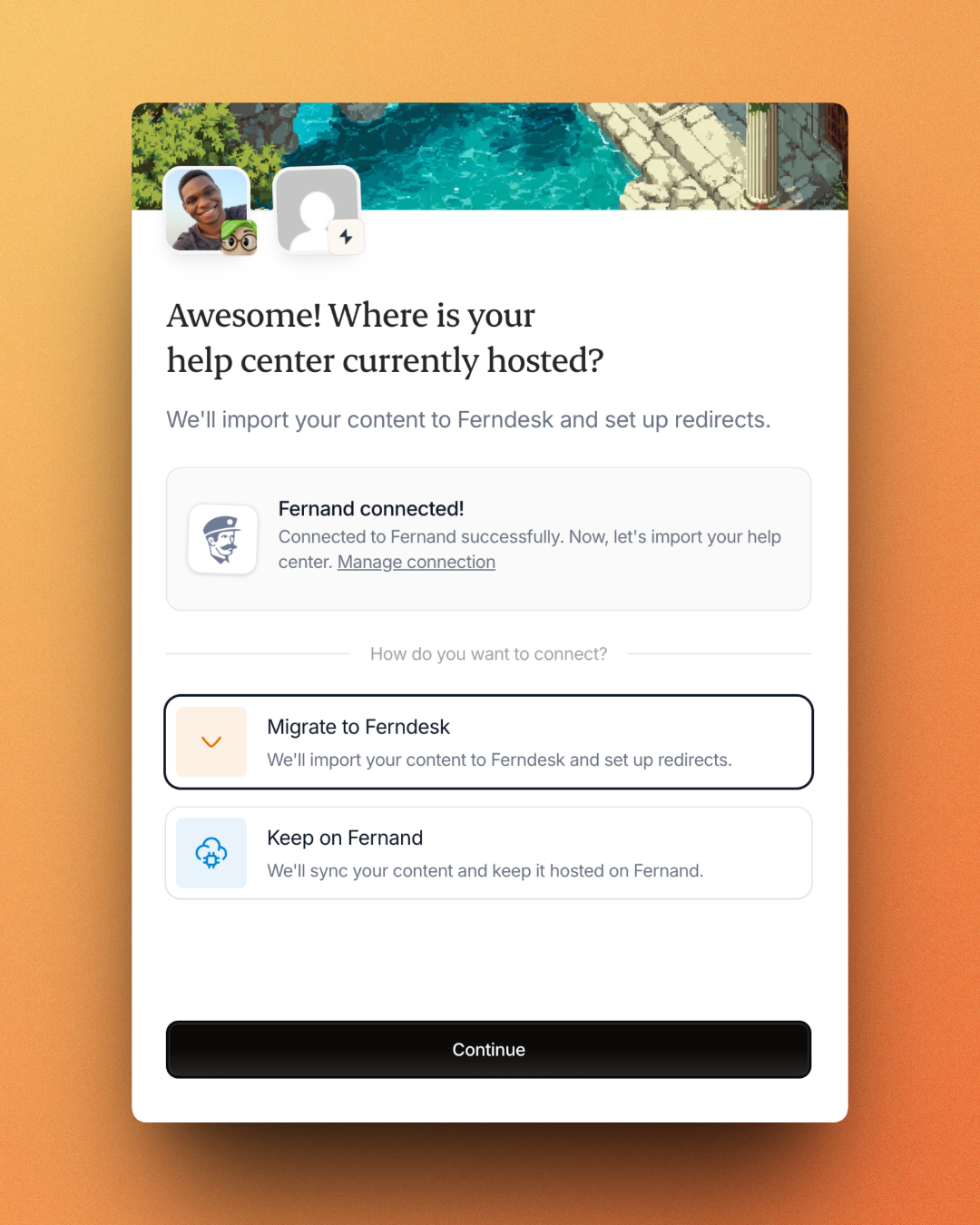
I loved the flexibility here: you can either fully migrate to Ferndesk (with automatic redirects set up) or keep your content synced on your existing platform while using Ferndesk's AI features. This makes testing the platform risk-free!
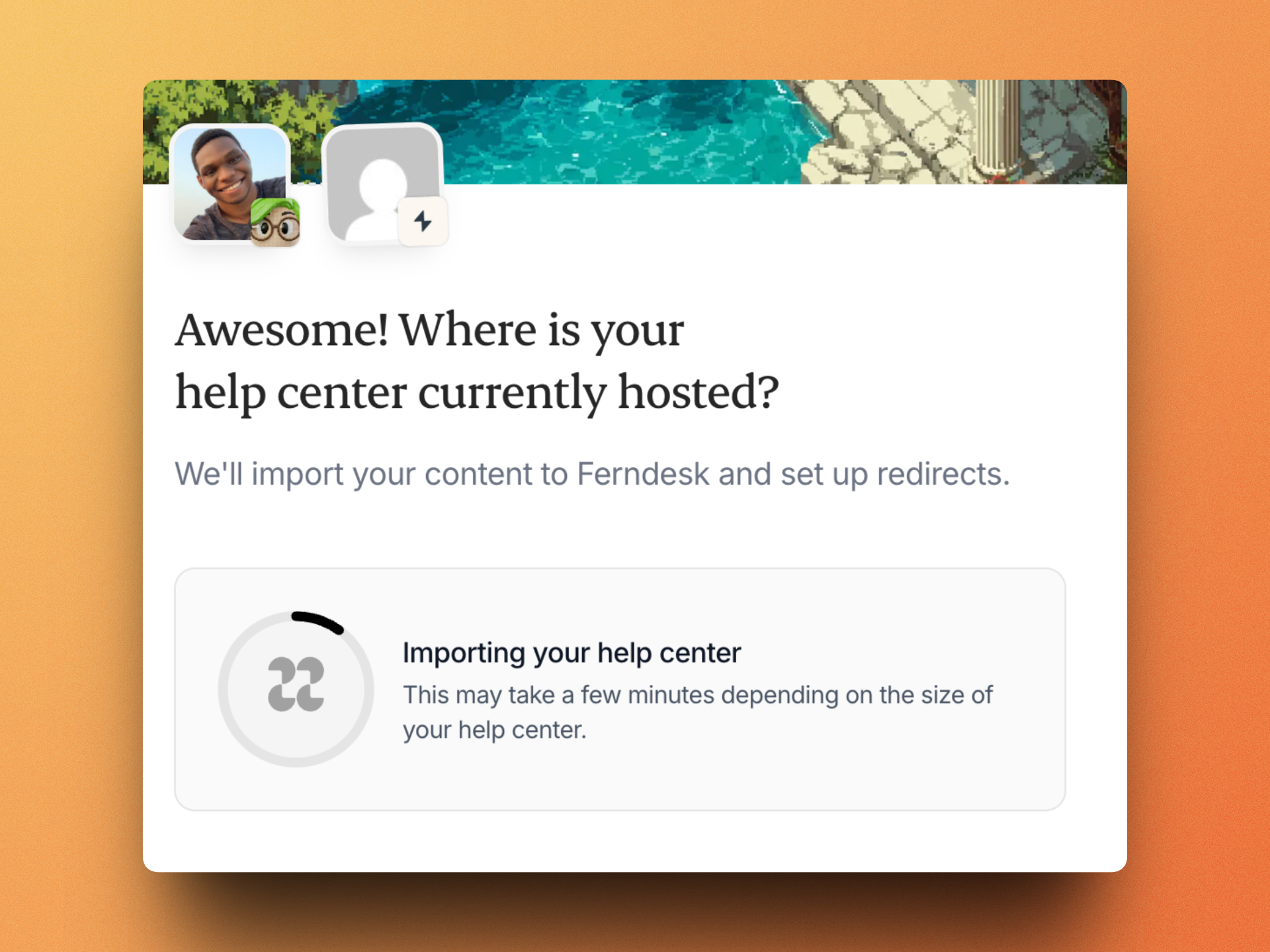
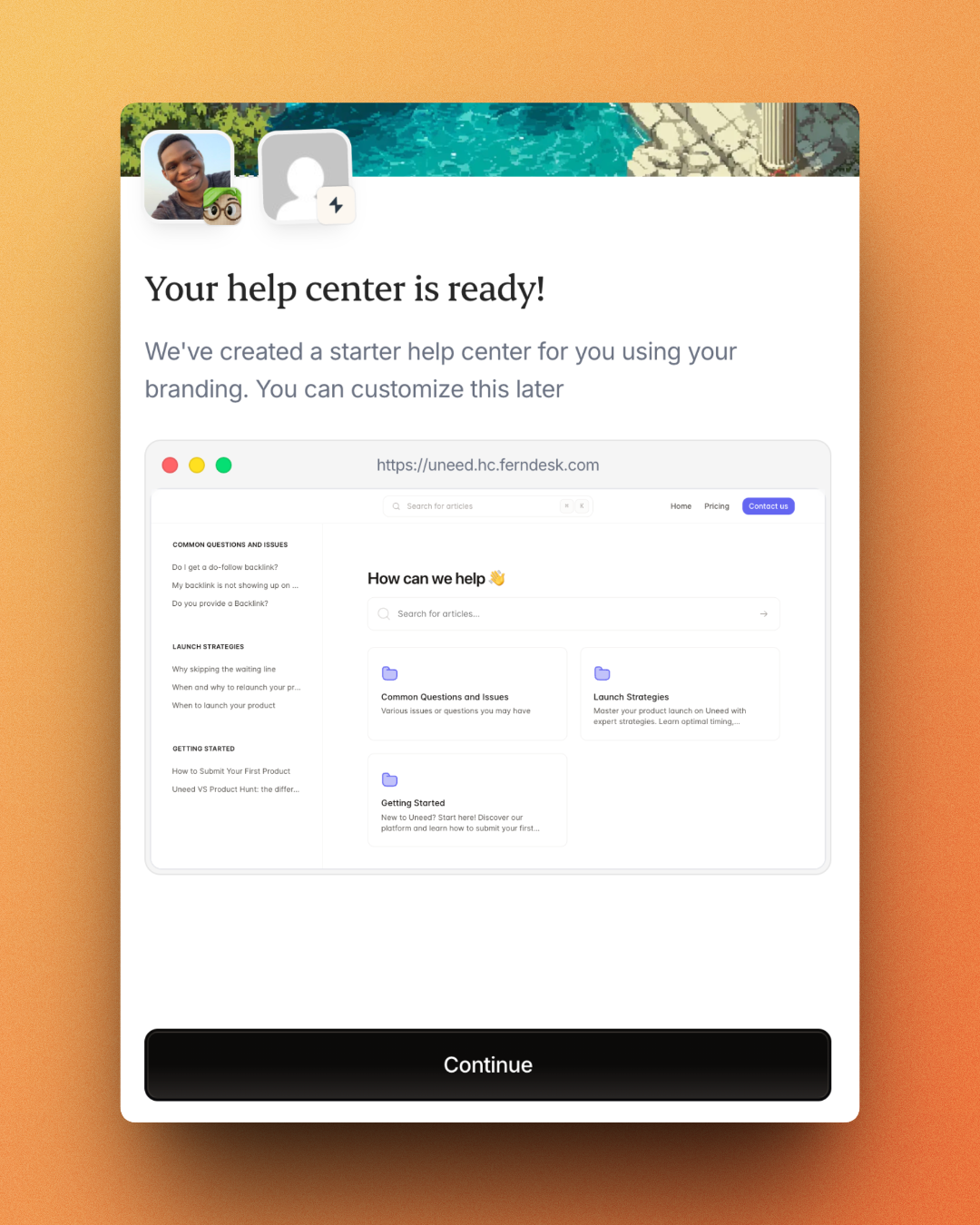
A few seconds later, our help center was ready with all articles and categories 😍! You can see it, it's live: Uneed Help Center.
The Dashboard - Meet Fern
Now, let's take a look at the dashboard. Once inside, you're greeted with a clean, modern dashboard that immediately shows you the metrics that matter: articles published, hours saved, coverage score, and help center visitors.
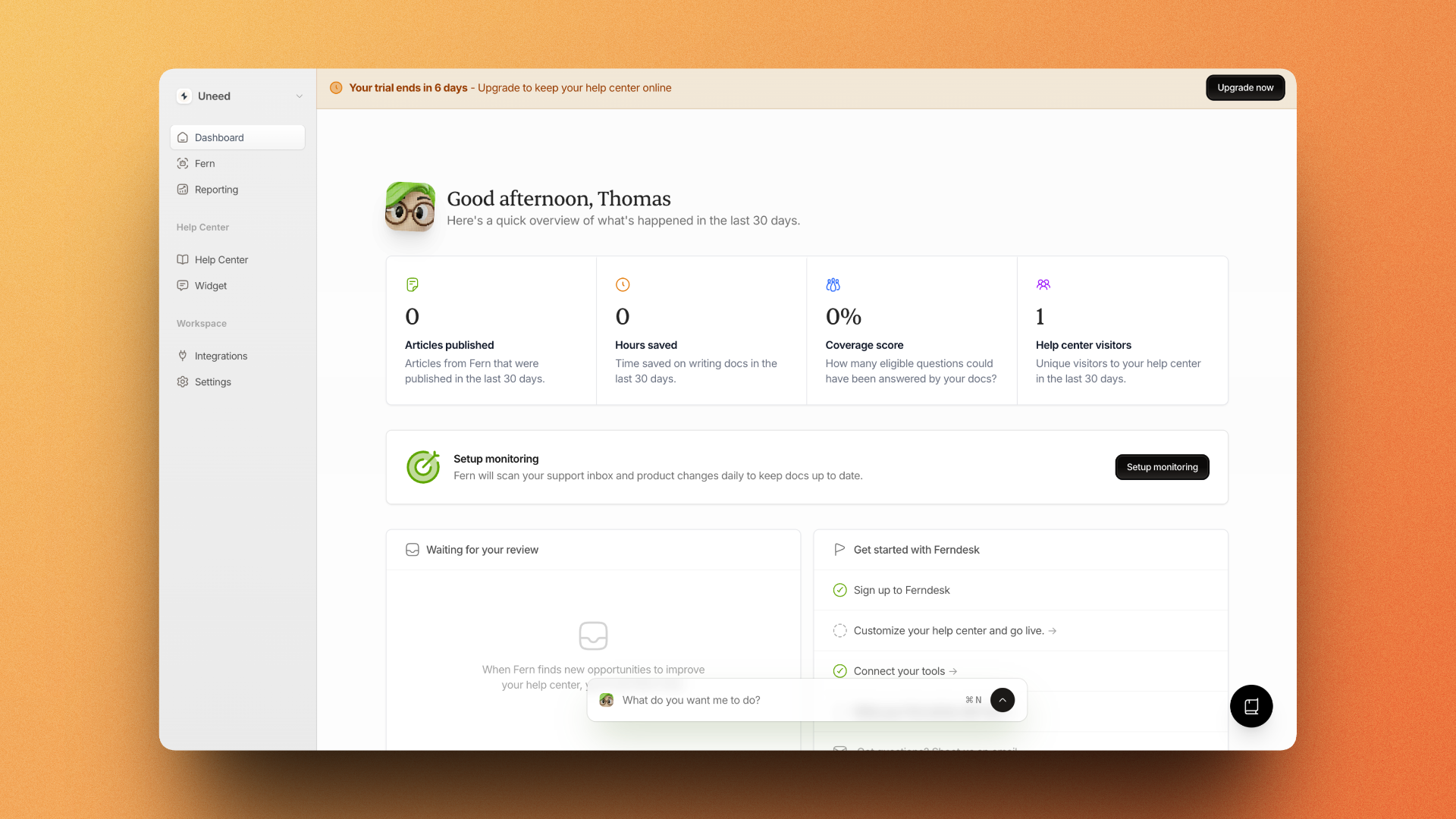
The real star here is "Fern" - the AI agent accessible via the chat bar at the bottom. You can ask Fern to do pretty much anything: write articles, update content, check for gaps, and more. But the magic really happens when you set up monitoring...
The Magic: Automatic Content Gap Detection
Here we are. This is where Ferndesk truly shines. After connecting your support inbox (we use Fernand), Fern scans your support tickets and product releases to find opportunities to improve your documentation.
This is (in my opinion) the most powerful feature of Ferndesk. It's like having a team of experts analyzing your support tickets and product releases to find opportunities to improve your documentation. Imagine how much time you could save by having your documentation updated automatically based on your customers' needs 🤯!
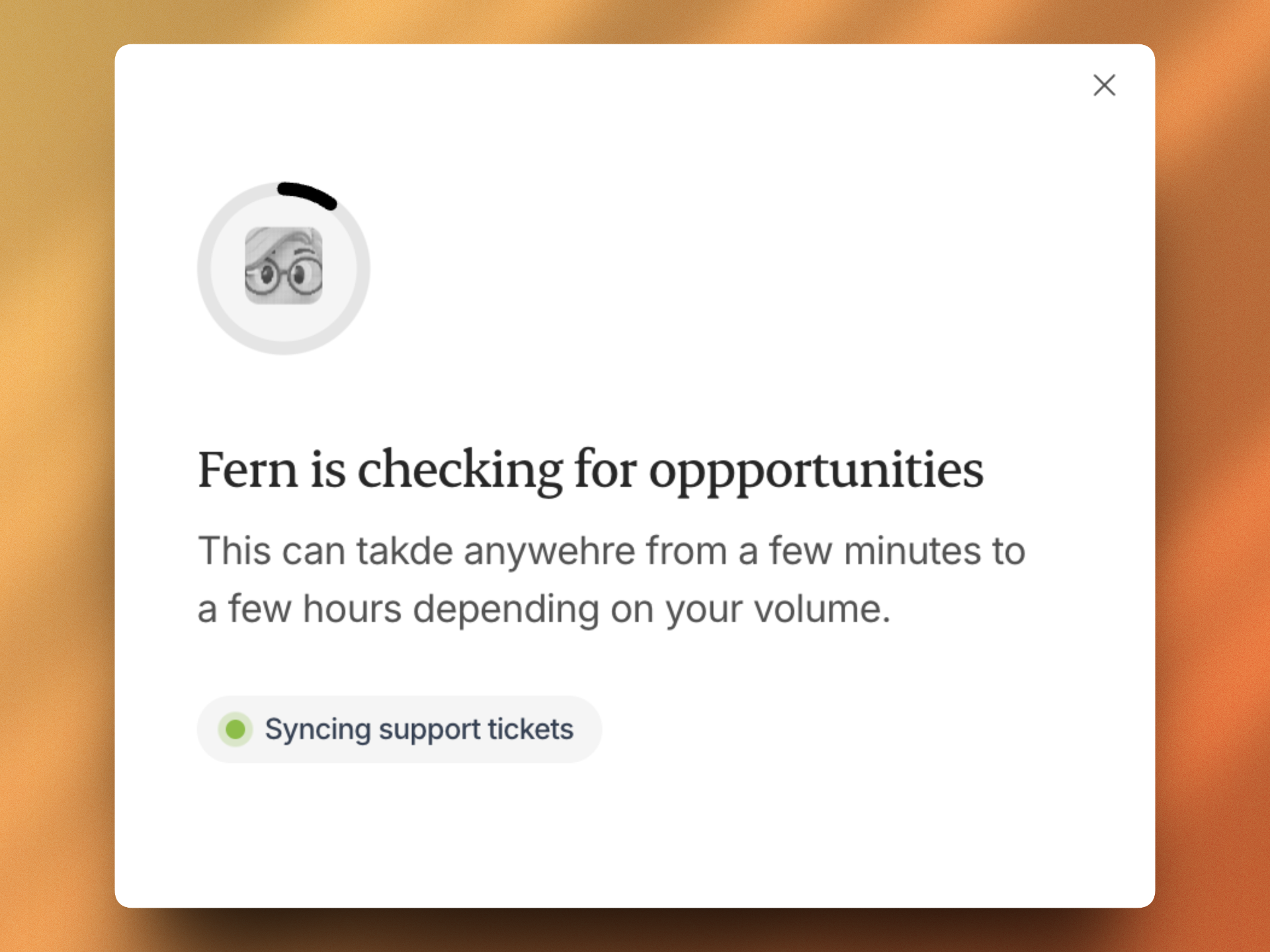
The scan was a bit long: I asked Fern to read all my support tickets from the past 12 months 😅.
In the end, Fern found 24 opportunities to improve our help center. These aren't just vague suggestions - they're specific, actionable items based on real customer questions 🔥!
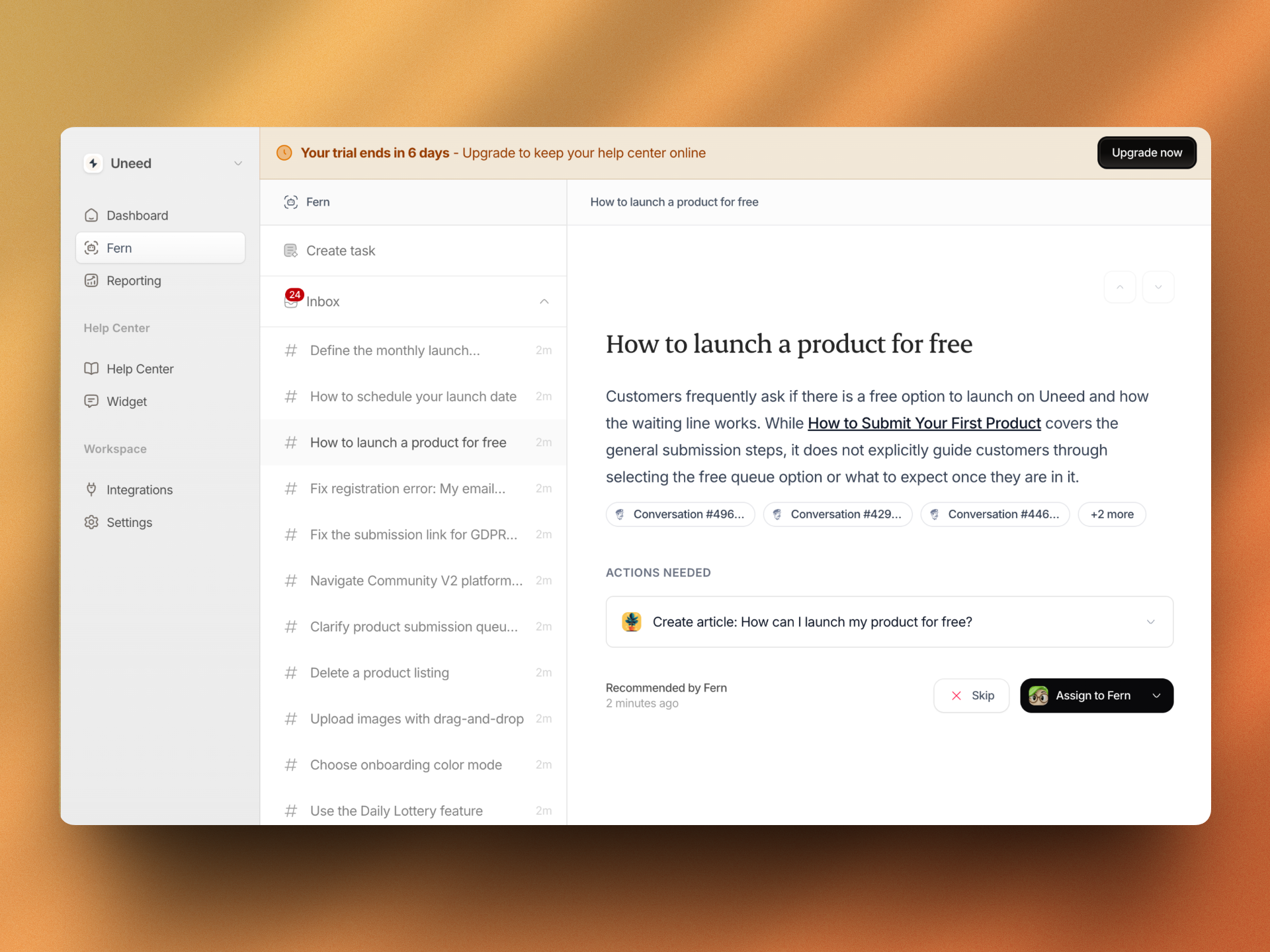
On this screenshot, you can see a lot of things (don't hesitate to click on the image to see it in full size):
- The "Create task" tab is where you can create tasks for Fern to work on. You can create a task by clicking on the "Create Task" button at the top right of the screen.
- The "Inbox" tab (the one selected on the screenshot) is where you can see all the tasks that Fern has created for you. You can skip them, or ask Fern to work on them by simply clicking on a button.
The suggestions ranged from "Delete newsletter sponsorship booking" to "Configure Auto Submit to Uneed" - all derived from actual customer conversations. This is incredibly powerful because it means your documentation evolves based on what customers actually ask, not what you think they need.
AI-Powered Article Creation
Let's talk about the article creation workflow, because this is where Ferndesk really sets itself apart from traditional help center software.
When you click on a suggestion, Fern shows you exactly why it recommends creating this article, including links to the actual support conversations that triggered the suggestion:
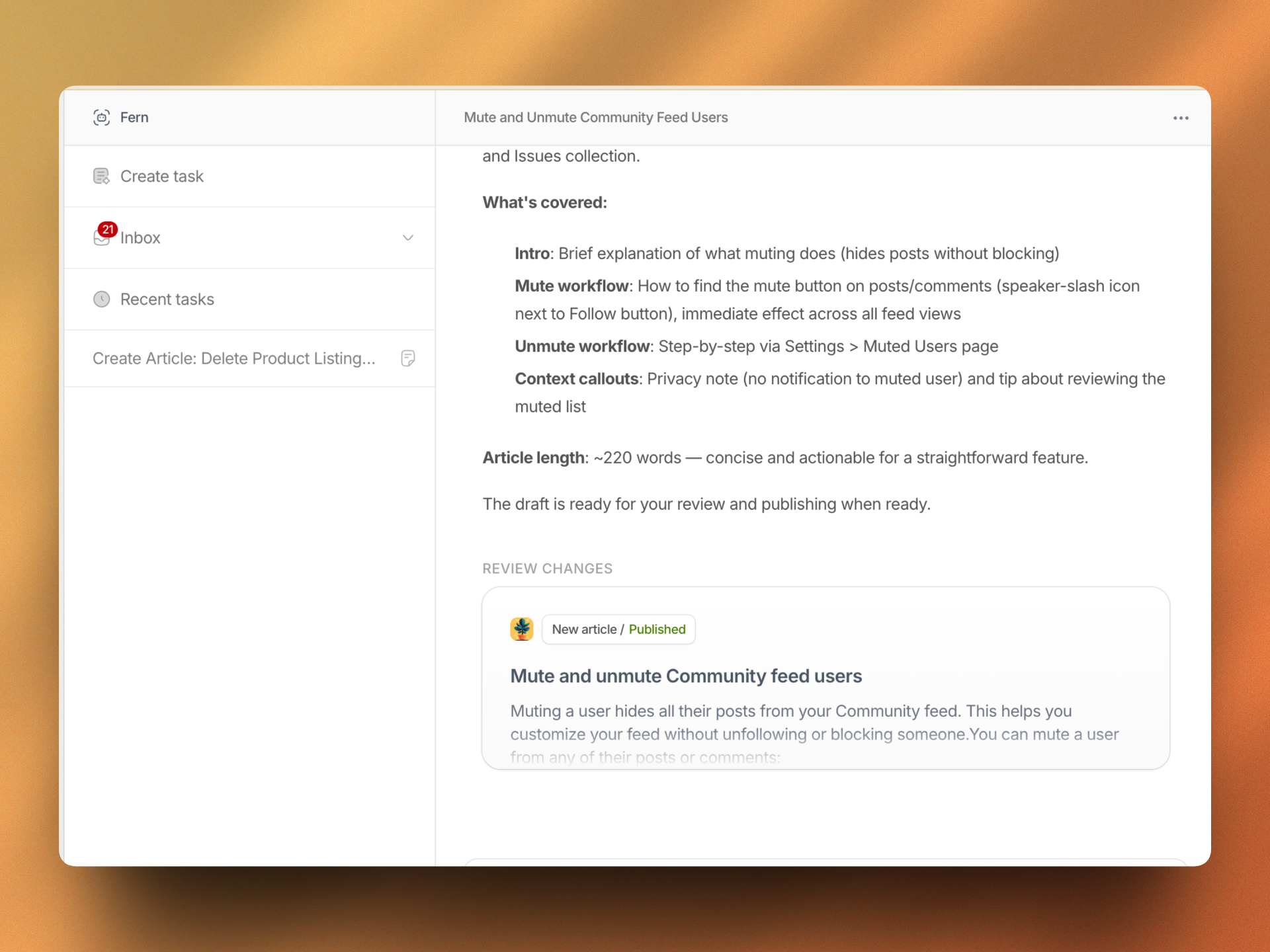
You can either skip the suggestion, or assign it to Fern. When assigned, Fern drafts the article automatically and presents it for your review. The draft quality is impressive - it's not just generic AI content, but contextual documentation based on your product and customer needs. You can check the generated article yourself to make your own opinion.
Each draft includes a summary of what's covered, the article length, and the actual content ready for review. You can then publish directly or edit before publishing.
The articles are well-structured with proper formatting, callout boxes for important notes, and clear step-by-step instructions. This is exactly what you'd want from a software documentation tool 😊!
Automatic Screenshot Generation
One of Ferndesk's standout features is the ability to automate screenshots for documentation. We all know the pain: you update your UI, and suddenly dozens of screenshots across your help center are outdated.
Ferndesk can automatically detect when screenshots need updating and regenerate them based on your current product interface. This alone can save hours of manual work every time you ship a product update. If you want to keep your knowledge base up to date automatically, this feature is a game-changer!
Help Center Customization
I couldn't do this review without mentioning the fact that you can customize your help center to your liking. The help center builder itself is thoughtfully designed with A LOT of customization options:
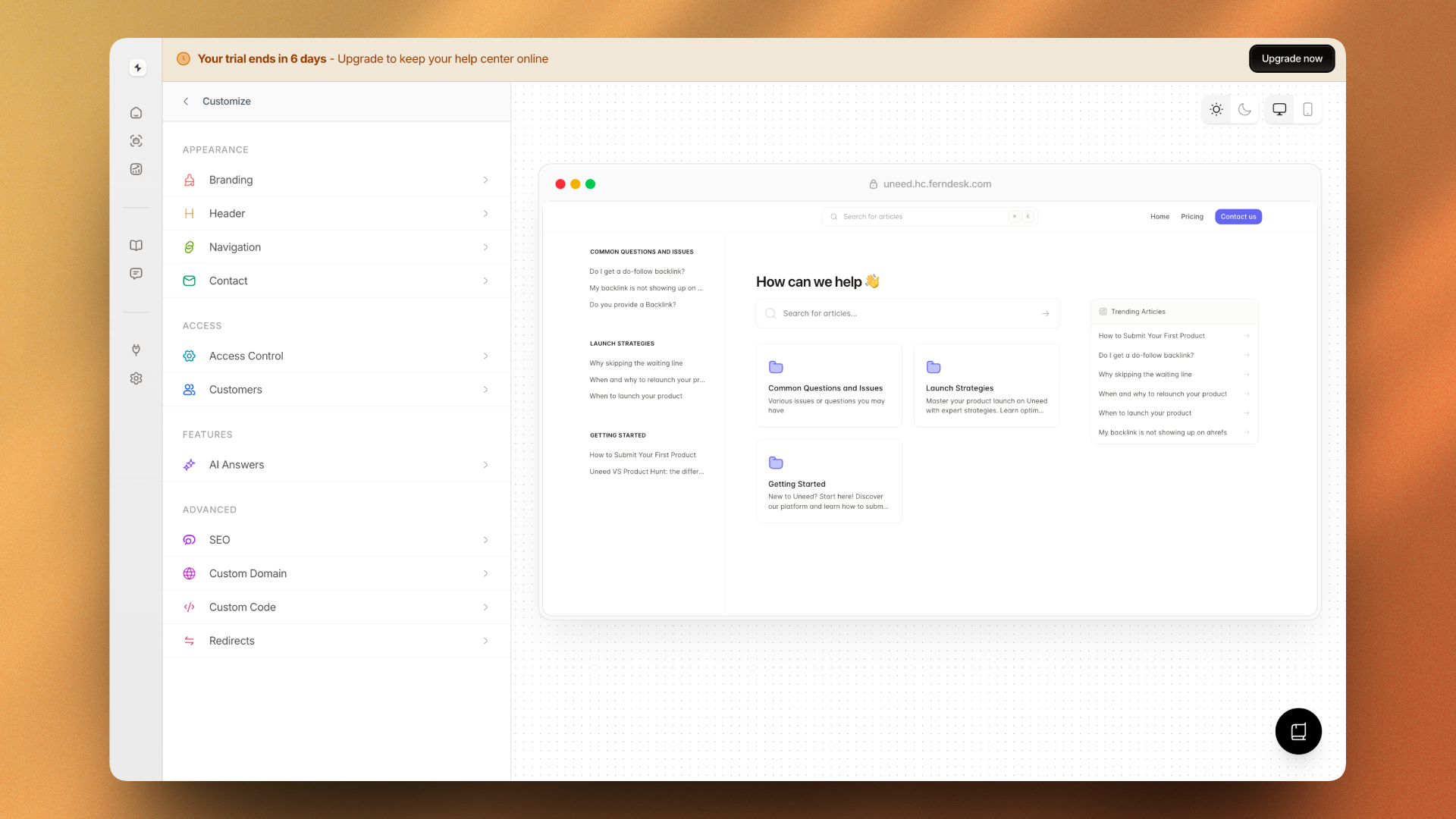
You can customize:
- Branding: Colors, logos, fonts
- Header & Navigation: Menu items, layout
- Access Control: Public, private, or authenticated access
- AI Answers: Built-in chatbot for instant customer support
- SEO: Meta tags, sitemaps, custom domains
- Custom Code: Add your own scripts and styles
Pricing
Ferndesk offers straightforward pricing:
- Startup ($39/month): AI article drafting, AI suggestions, AI answers, 10+ integrations, 2 languages, 2 collaborators
- Team ($99/month): Everything in Startup plus private help centers, custom subfolder hosting, unlimited AI publishing, 5 languages, 5 collaborators
- Enterprise (Custom): SSO, priority support, custom integrations, white-glove onboarding
All plans include a 7-day free trial with no credit card required. Compared to alternatives like Mintlify ($300/month for AI features) or Helpjuice ($249-449/month), Ferndesk offers significant value, especially for startups 😎.
Conclusion
That's the end of this Ferndesk review! After migrating our actual help center and testing the AI features, I'm genuinely impressed by how well it delivers on its promise. So much that I'm seriously considering migrating Uneed's help center to Ferndesk 😍!
What I loved:
- 🚀 One-click migration from existing platforms with zero downtime
- 🤖 Smart content gap detection based on real support tickets
- 📸 Automatic screenshot generation to keep docs visually current
- ✍️ Quality AI-generated articles that actually sound human
- 🎨 Beautiful, customizable help centers with SEO optimization
- 💰 Competitive pricing starting at $39/month
Things to consider:
- 🆕 Relatively new platform (though actively developed)
- 🆘 Does not include an actual support chat. This is currently the only thing that prevents me from migrating Uneed's help center to Ferndesk: I love being able to chat with my customers through Fernand's Widget. With Ferndesk, even though they have a widget with Fern as an AI agent chatbot, if customers want to speak with a human, they have to use the contact form, which is not as convenient IMO. This is a very specific use case though!
For teams struggling to keep their knowledge base up to date automatically, Ferndesk is exactly what you need. The combination of AI-powered content creation, support ticket analysis, and automatic screenshot updates makes it one of the most innovative help center software solutions I've tested.
If you're tired of outdated documentation creating support tickets, give Ferndesk a try. The 7-day free trial is more than enough time to see the value it can bring to your team 🚀!